
Roll over image to zoom in
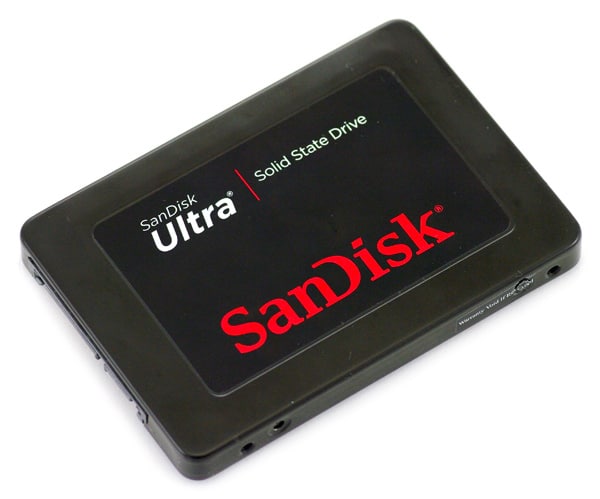
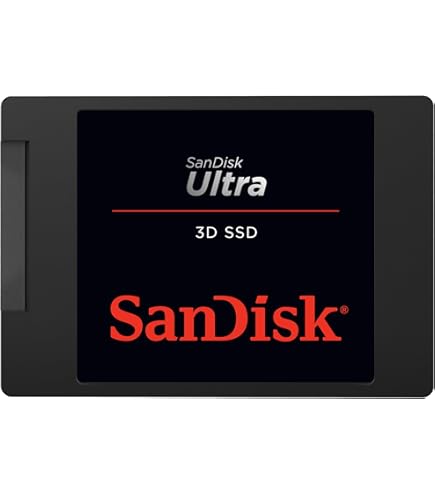
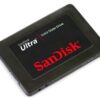
SANDISK 240GB SSD
🏷️ Generic Name
Solid State Drive (SSD), 240GB SATA Storage Device
🏢 Brand
SanDisk
🧪 Composition (Technical Components)
- NAND Flash Memory (solid-state storage)
- SATA III (6 Gb/s) interface
- Controller chip for data management
- 2.5-inch form factor casing
🎯 Indications (Uses)
Used for:
- Upgrading laptops and desktops for faster performance
- Replacing traditional hard drives (HDD)
- Faster boot time, app loading, and file transfer
- Storage for operating system, files, and applications
⚙️ Dosage / Usage Instructions
- Install in a 2.5-inch drive bay (laptop or desktop)
- Connect using SATA data and power cable
- Install operating system or clone existing drive
- Recommended as primary (boot) drive for best performance
⚡ Mechanism of Action (How it works)
The SSD stores data using flash memory instead of spinning disks, allowing faster read/write speeds, quicker system response, and improved reliability compared to HDDs.
💡 Key Features
- Capacity: 240GB
- Read Speed: up to 530 MB/s
- Write Speed: up to 440 MB/s
- Faster boot-up and shutdown times
- Shock-resistant (no moving parts)
- Quiet and energy-efficient operation
🔌 Dosage Form (Device Type)
- Internal Storage Device
- 2.5-inch SATA III SSD
⚠️ Contraindications (Limitations)
- Limited storage (240GB may fill quickly)
- Not as fast as NVMe SSDs
- Requires SATA port (not compatible with M.2-only systems)
⚠️ Side Effects (Possible Issues)
- Performance may slow when nearly full
- Limited write lifespan (normal for SSDs)
- Speed depends on system hardware
🛡️ Precautions
- Avoid physical damage during installation
- Keep firmware updated
- Do not fill storage beyond ~80–90% for best performance
- Use proper shutdown to prevent data corruption
🌡️ Storage / Environment
- Operating Temperature: 0°C to 70°C
- Shock and vibration resistant
📦 Packaging Contents
- SanDisk SSD Plus 240GB
- Installation guide
- Cloning software (downloadable)




Reviews
There are no reviews yet.